
Hebrew Word Parts: take any word apart
Hebrew attaches its small words to its big ones. And in your house is one word. Word Parts separates a word into its prefixes, root and suffixes, explains each piece, and puts the meaning back together.
Open Hebrew Word Parts in a new tab →
Step 1: Open Hebrew Word Parts
Tap Tools ▾ → Hebrew Word Parts.
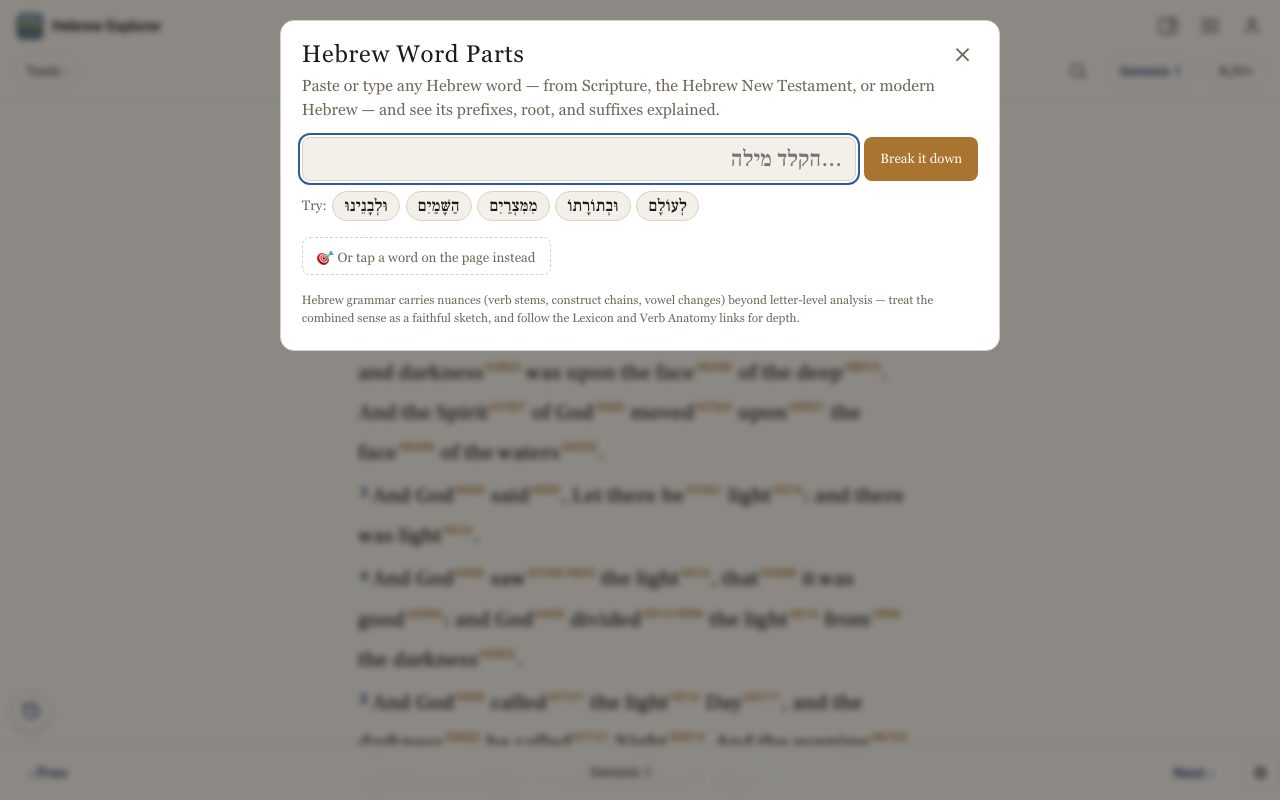
Step 2: Type a word, or tap an example
Paste or type any Hebrew word, from Scripture, the Hebrew New Testament or modern Hebrew, and tap Break it down. Or tap one of the Try: examples.
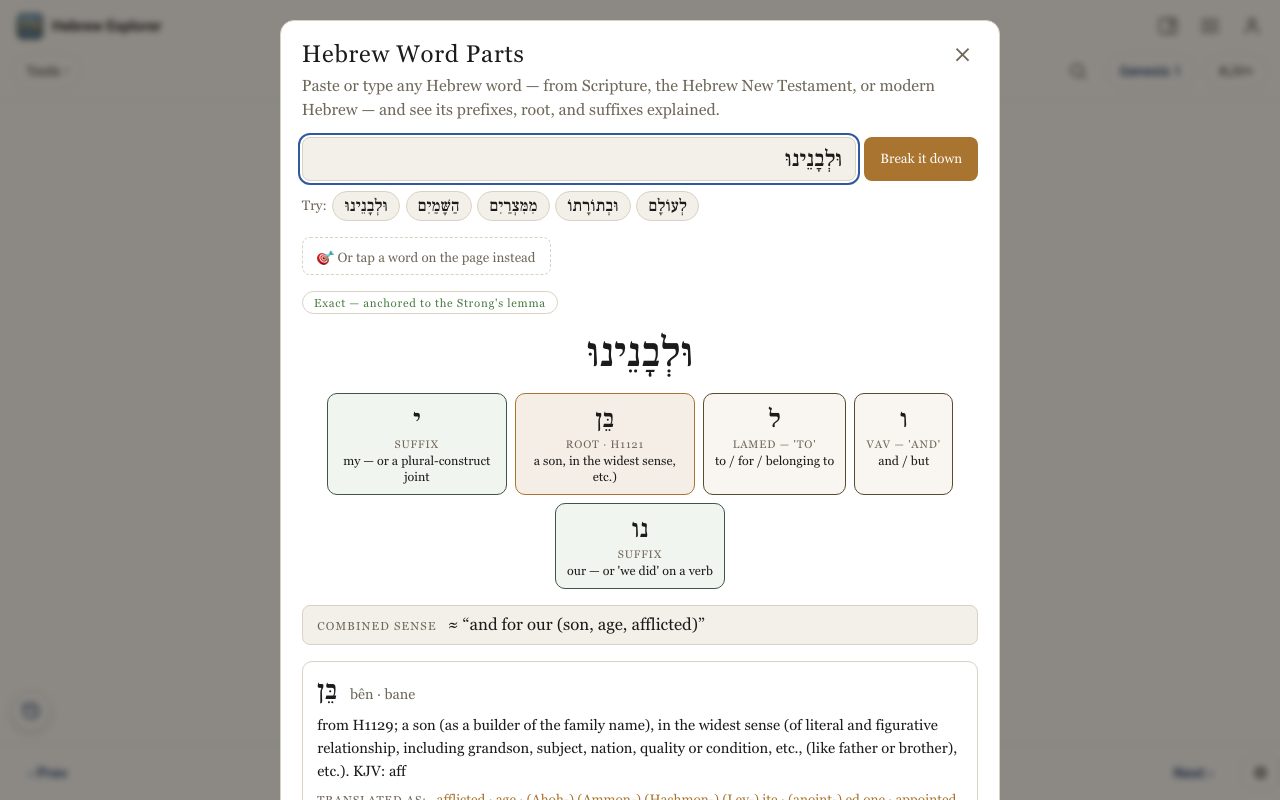
Step 3: Or tap a word on the page
Tap 🎯 Or tap a word on the page instead, then tap any Hebrew word in the text.
Step 4: Go deeper
Follow the links into the Lexicon for the root's meaning, or into Verb Anatomy when the word is a verb.
Related tutorials
- Verb Anatomy: what a Hebrew verb is really sayingTap any Hebrew verb for its root, stem, form, person and voice, explained in plain English.Free 4 min · Intermediate
- The Hebrew Root Dictionary: climb a word's family treeBrowse every root in Scripture by its first letter, and see each root's family of words drawn as a tree.Free 5 min · Intermediate
- Typing Hebrew and Greek with the on-screen keyboardType Hebrew or Greek letters in any search box. No special keyboard needed.Free 2 min · Beginner