
Verb Anatomy: what a Hebrew verb is really saying
A Hebrew verb carries a lot in one word: who is acting, whether the action is simple or intense, active or passive, finished or ongoing. Verb Anatomy colours the letters of any verb and explains each part in plain English.
Open Verb Anatomy in a new tab →
Step 1: Turn on Verb Anatomy
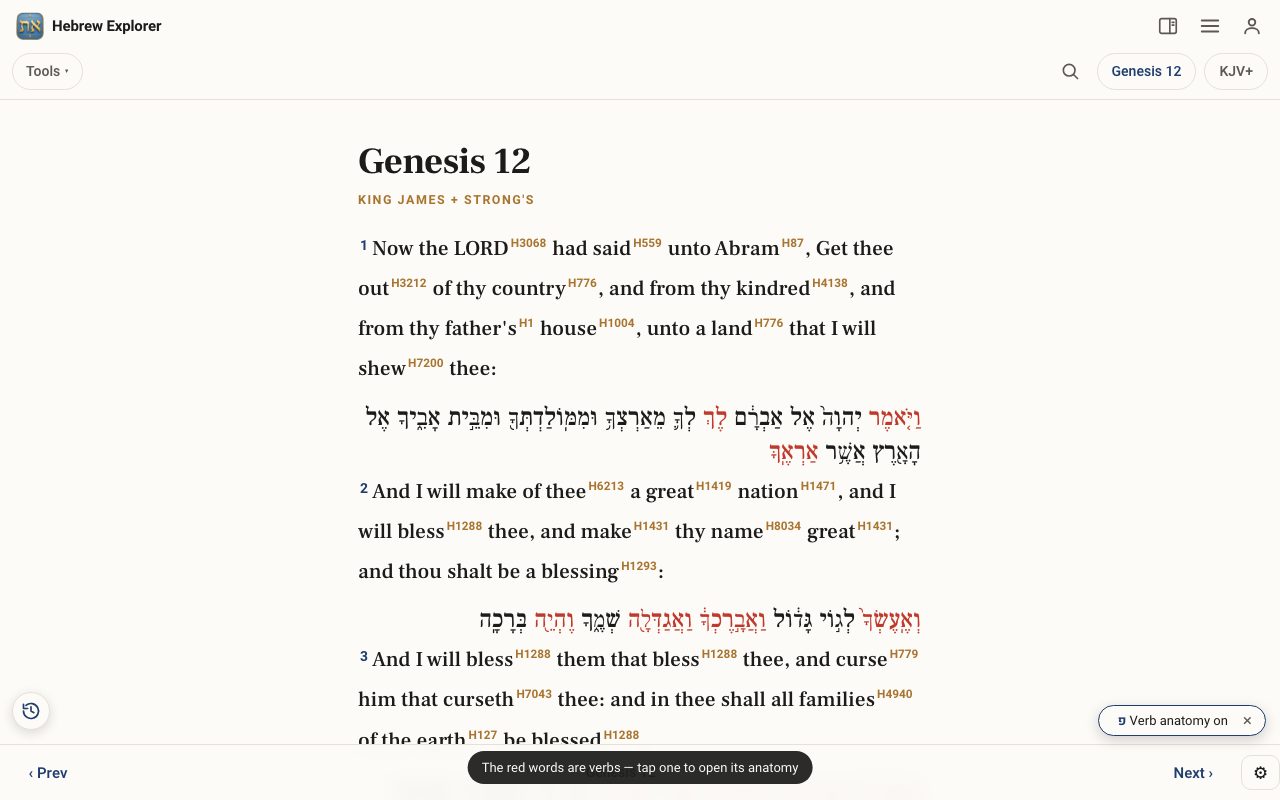
Tap Tools ▾ → Verb Anatomy. The Hebrew of each verse appears under the English, and the verbs can be tapped.
Step 2: Tap a verb
Tap a verb. In Genesis 12:1, tap the first word, vayomer (and he said). The letters are coloured: root letters, stem & form letters, and prefixes.
Step 3: Read the breakdown
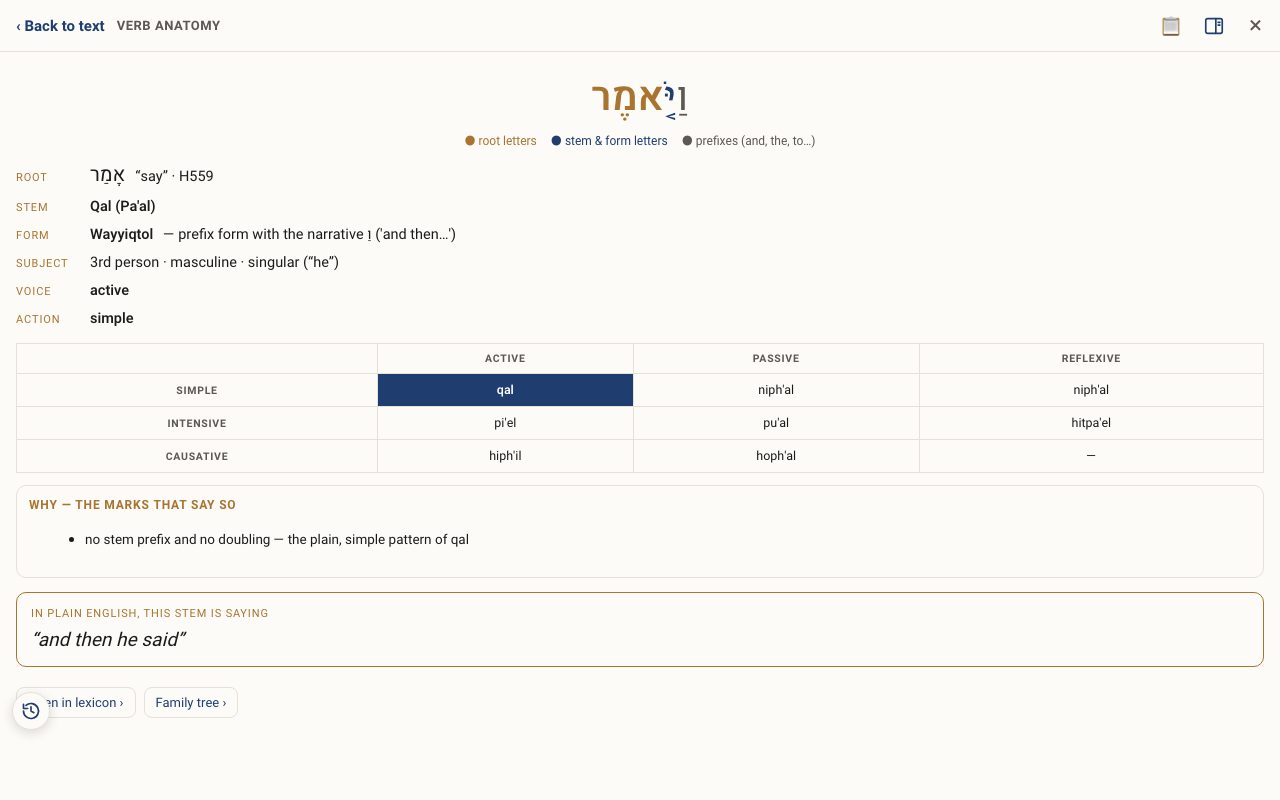
You see the Root (here אָמַר, say), the Stem (Qal), the Form (Wayyiqtol, the narrative “and then…”), the Subject (he), and the Voice and Action. A small grid shows where this stem sits among active, passive and reflexive.
Step 4: Turn it off
Tap the × on the Verb Anatomy chip, or open the tool again, to turn it off.
Related tutorials
- Hebrew Word Parts: take any word apartType or tap any Hebrew word to see its prefixes, root and suffixes explained, with the combined meaning.Free 4 min · Beginner
- The Hebrew Root Dictionary: climb a word's family treeBrowse every root in Scripture by its first letter, and see each root's family of words drawn as a tree.Free 5 min · Intermediate
- Tap a word: reading the lexiconOpen any Hebrew or Greek word to see its meaning, pronunciation, gematria, every place it appears, and the classic lexicons.Free 6 min · Beginner