
Learn Hebrew Scripture: read any verse aloud in Hebrew
Choose a verse and it is laid out to learn. Every word appears in large pointed Hebrew, split into syllables with the stressed syllable in capitals, with its meaning underneath. A Hebrew voice reads it at normal or slow speed, and you can print it. Genesis 1:1, the Shema, Psalm 23:1, John 3:16 and the Lord's Prayer are free for everyone. Every other verse is part of Pro.
Open Learn Hebrew Scripture in a new tab →
Step 1: Open Learn Hebrew Scripture
Tap Tools ▾ → Learn Hebrew Scripture.
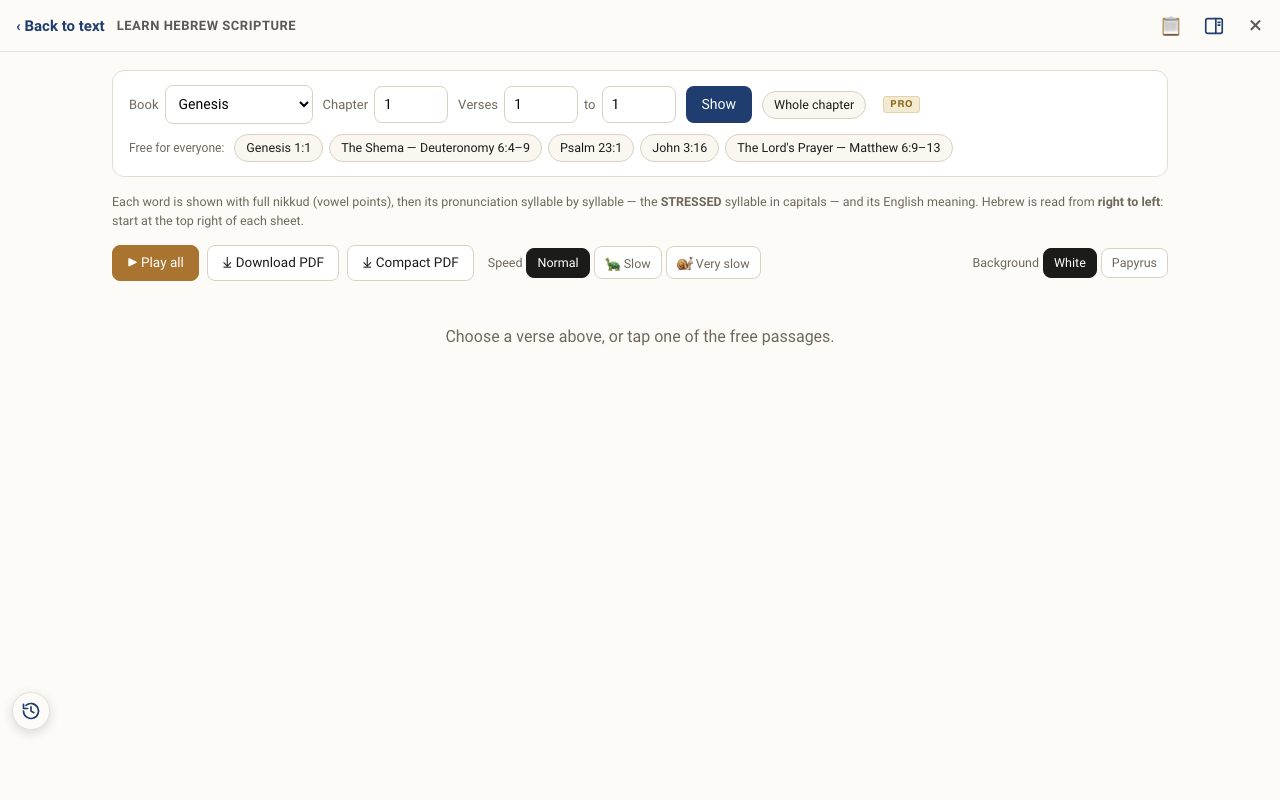
Step 2: Choose a passage
Tap one of the free passages, or pick a book, chapter and verse range (up to a Whole chapter) and tap Show.
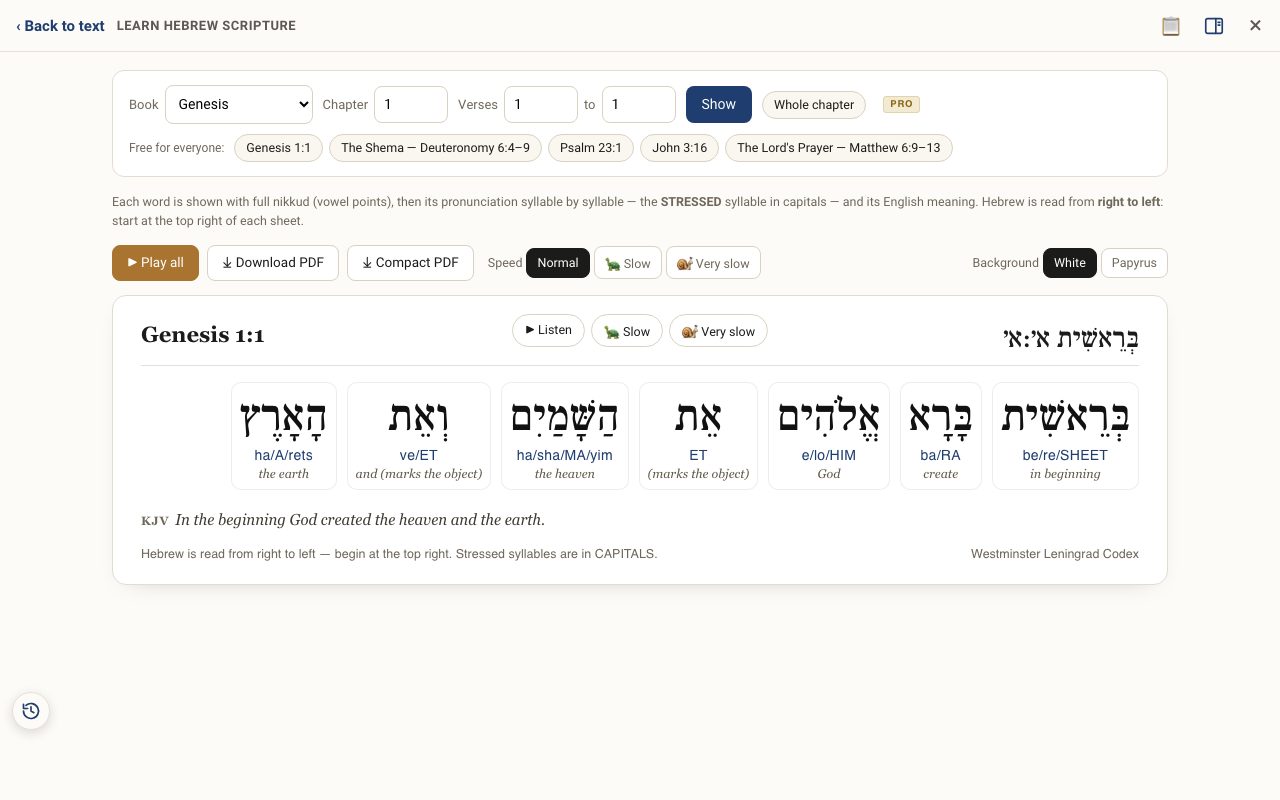
Step 3: Read it right to left
Hebrew reads right to left, so start with the word on the right. Under each word the syllables are split with slashes, and the STRESSED syllable is in capitals. The line under that is the meaning, with prefixes like and, the, in spelled out.
Step 4: Listen
Tap ▶ Play all to hear the verse. Choose Normal, 🐢 Slow or 🐌 Very slow to follow along. Tap a single word to hear just that word.
Step 5: Print or save a PDF
⤓ Download PDF makes a large landscape sheet, one page per verse. Pick a White or Papyrus background. ⤓ Compact PDF fits a whole passage onto a sheet or two.
Related tutorials
- Hebrew Blessings & Prayers: pray them in HebrewThe best-known blessings and prayers, word by word with pronunciation and meaning, read aloud and printable.Free samples · Pro 5 min · Beginner
- The Hebrew Alef-Bet: meet the 22 lettersEach letter's forms, sound, number, picture, first root in Scripture, and the teaching carried in its shape.Free 5 min · Beginner
- Recipe: learn to read a verse in HebrewFrom the letters to reading Genesis 1:1 aloud, using only free tools.Free 20 min · Beginner
- Hebrew Explorer Pro: what's free and what Pro addsThe reader and nearly every study tool are free. Pro adds a handful of deeper tools.Free 2 min · Beginner