
Numbers: what biblical numbers mean
Seven, twelve, forty, seventy: Scripture uses numbers with meaning. Turn on Numbers and every number word in the chapter turns orange. Tap one to see what the number carries.
Step 1: Turn on Numbers
Tap Tools ▾ → Numbers. Number words in the text are highlighted in orange.
Step 2: Tap a number
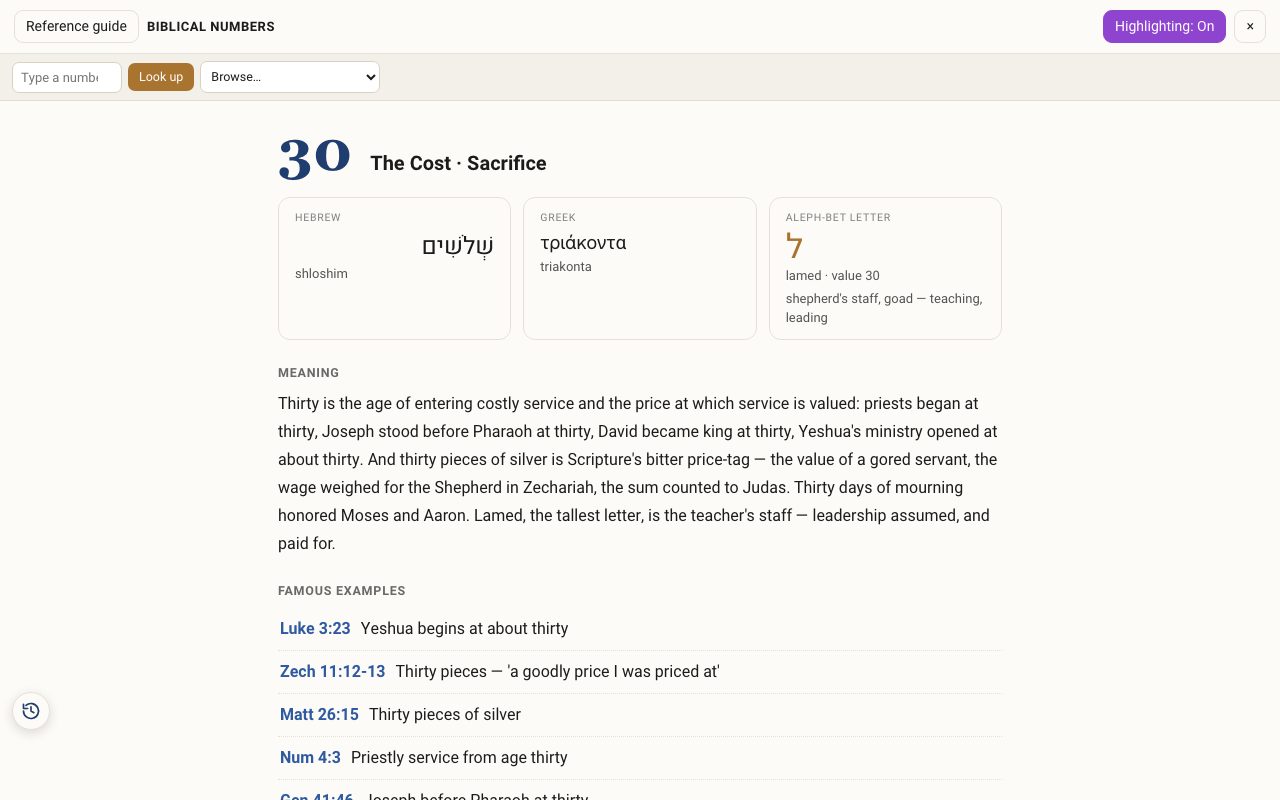
Tap an orange number word, such as seventy in Genesis 46:27. The Biblical Numbers guide opens with the number in Hebrew and Greek, the letter that carries that value, its meaning, and famous examples in Scripture.
Step 3: Look up any number
Use Look up in the guide to read about any number. The Highlighting: On switch turns the orange off.
Related tutorials
- Gematria: the numeric value of Hebrew wordsShow the value of every Hebrew word, choose a counting method, add up a phrase, and find words that share a value.Free 5 min · Intermediate
- The Hebrew Alef-Bet: meet the 22 lettersEach letter's forms, sound, number, picture, first root in Scripture, and the teaching carried in its shape.Free 5 min · Beginner