
Hebrew Text Anomalies: the scribal wonders of the text
The scribes who copied the Hebrew Bible preserved some strange things on purpose: an oversized bet at the start of Genesis, a small alef in Leviticus, dots over certain words, inverted nuns. Each anomaly is shown on a folio of the Leningrad Codex, the oldest complete Hebrew Bible, with what the tradition says about it.
Open Hebrew Text Anomalies in a new tab →
Step 1: Open Text Anomalies
Tap Tools ▾ → Hebrew Text Anomalies.
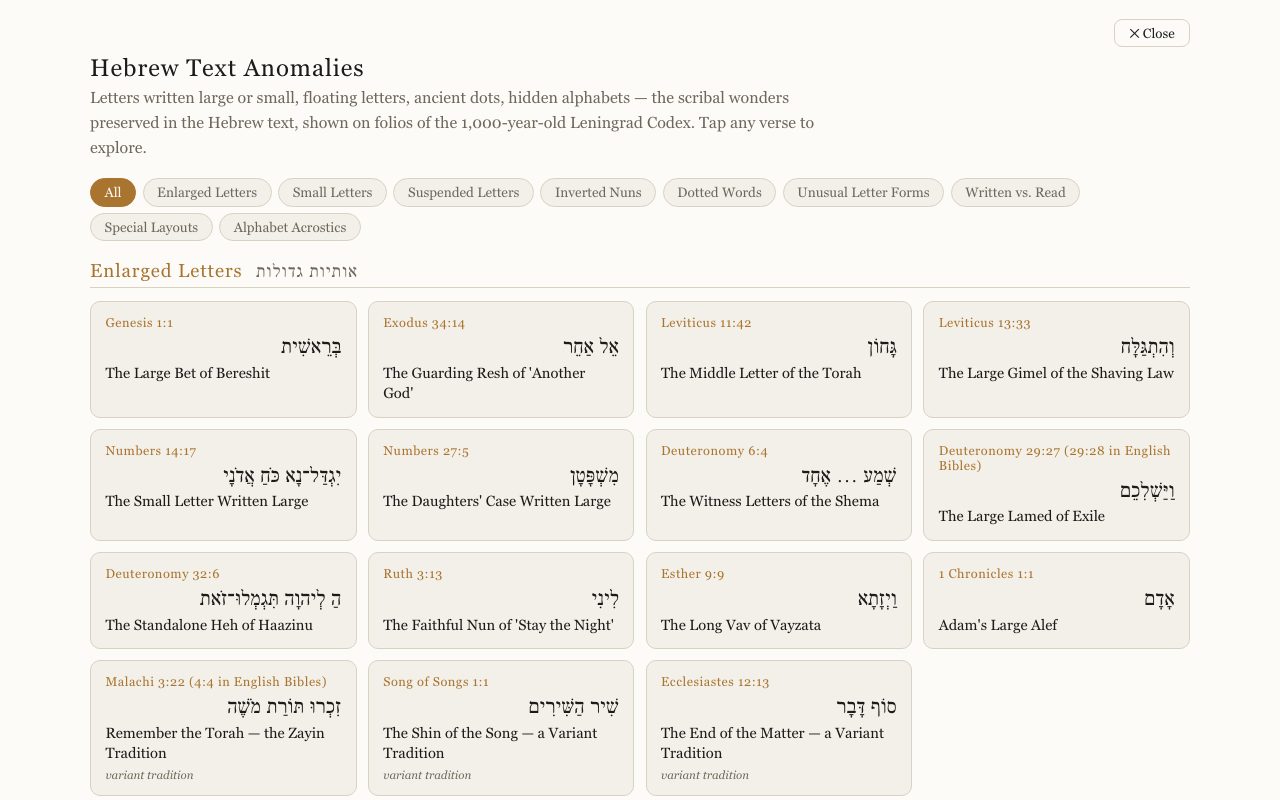
Step 2: Filter by kind
Tap a category: Enlarged Letters, Small Letters, Suspended Letters, Inverted Nuns, Dotted Words, Unusual Letter Forms, Written vs. Read, Special Layouts or Alphabet Acrostics.
Step 3: Open one
Tap an entry, such as The Large Bet of Bereshit (Genesis 1:1), to see it on the manuscript page with the explanation.
Related tutorials
- The Hebrew Alef-Bet: meet the 22 lettersEach letter's forms, sound, number, picture, first root in Scripture, and the teaching carried in its shape.Free 5 min · Beginner
- The Study Panel: your study space beside the textResources for the chapter, your notes and highlights, saved studies, a parallel translation, books and search, all beside the text.Free 6 min · Beginner