
Compare translations and compare a verse
Translations differ, and the differences are often where the Hebrew is richest. There are two ways to compare: a whole chapter across the translations you pick, or one verse in every translation at once.
Open Compare translations in a new tab →
Step 1: Compare a chapter
Tap Tools ▾ → Compare translations. The chapter appears verse by verse in the translations you have switched on.
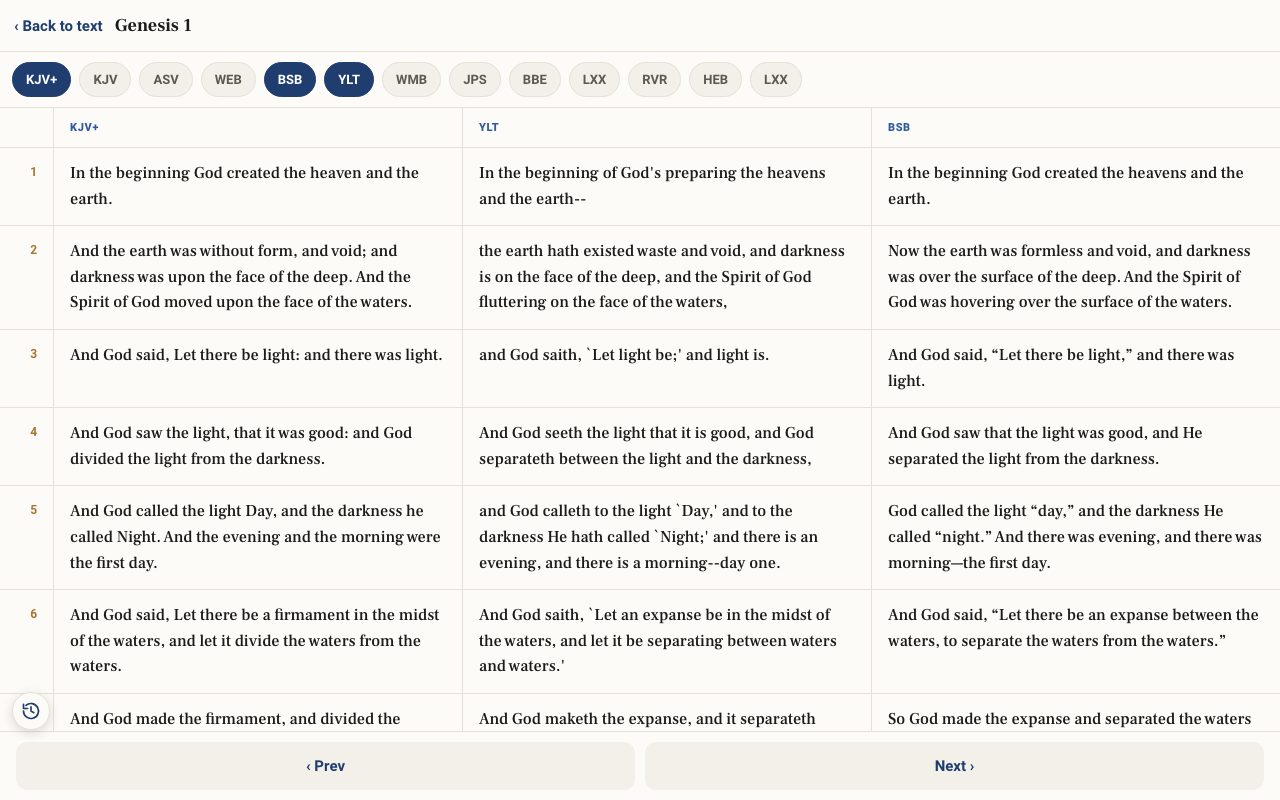
Step 2: Choose which translations
Tap the chips along the top (KJV, ASV, WEB, BSB, YLT, WMB, JPS, BBE, LXX, RVR, HEB, NLT, NIV, NASB) to switch each one on or off.
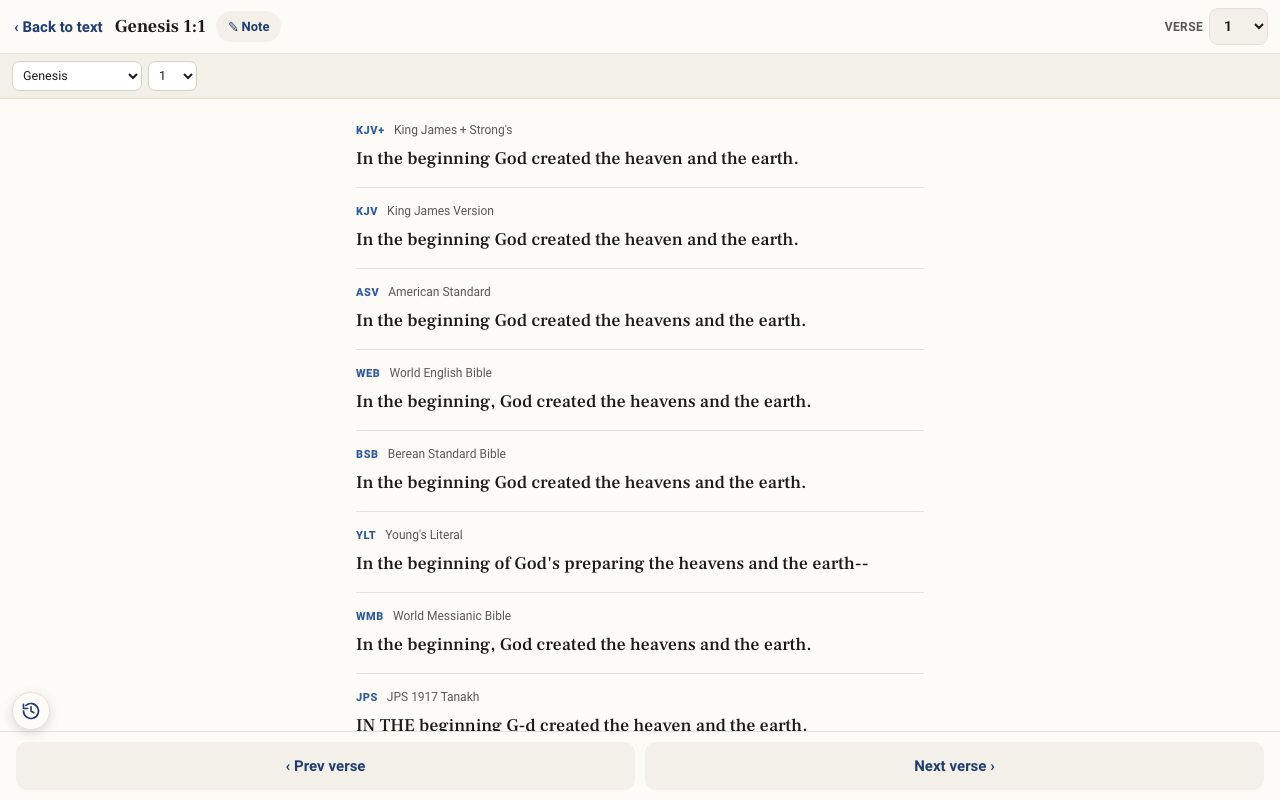
Step 3: Compare one verse everywhere
Tap Tools ▾ → Compare a verse. One verse is shown in every translation, including the Hebrew and the Greek Septuagint. Use the boxes to pick another verse, or ‹ Prev verse and Next verse ›. ✎ Note writes a note on the verse.
Related tutorials
- Choosing a translation — English, Hebrew, Greek and moreSwitch between English versions, the Hebrew and Greek originals, the Septuagint and Spanish.Free 4 min · Beginner
- The Study Panel: your study space beside the textResources for the chapter, your notes and highlights, saved studies, a parallel translation, books and search, all beside the text.Free 6 min · Beginner
- The Interlinear: Hebrew and Greek under the EnglishSee every Hebrew or Greek word with its English meaning and Strong's number, verse by verse.Free 4 min · Beginner