
Choosing a translation — English, Hebrew, Greek and more
One button changes the whole reader to another version. Several choices are special: the King James + Strong's links every word to the lexicon, and the Hebrew and Greek texts let you tap the original words themselves.
Open Translations in a new tab →
Step 1: Tap the translation button
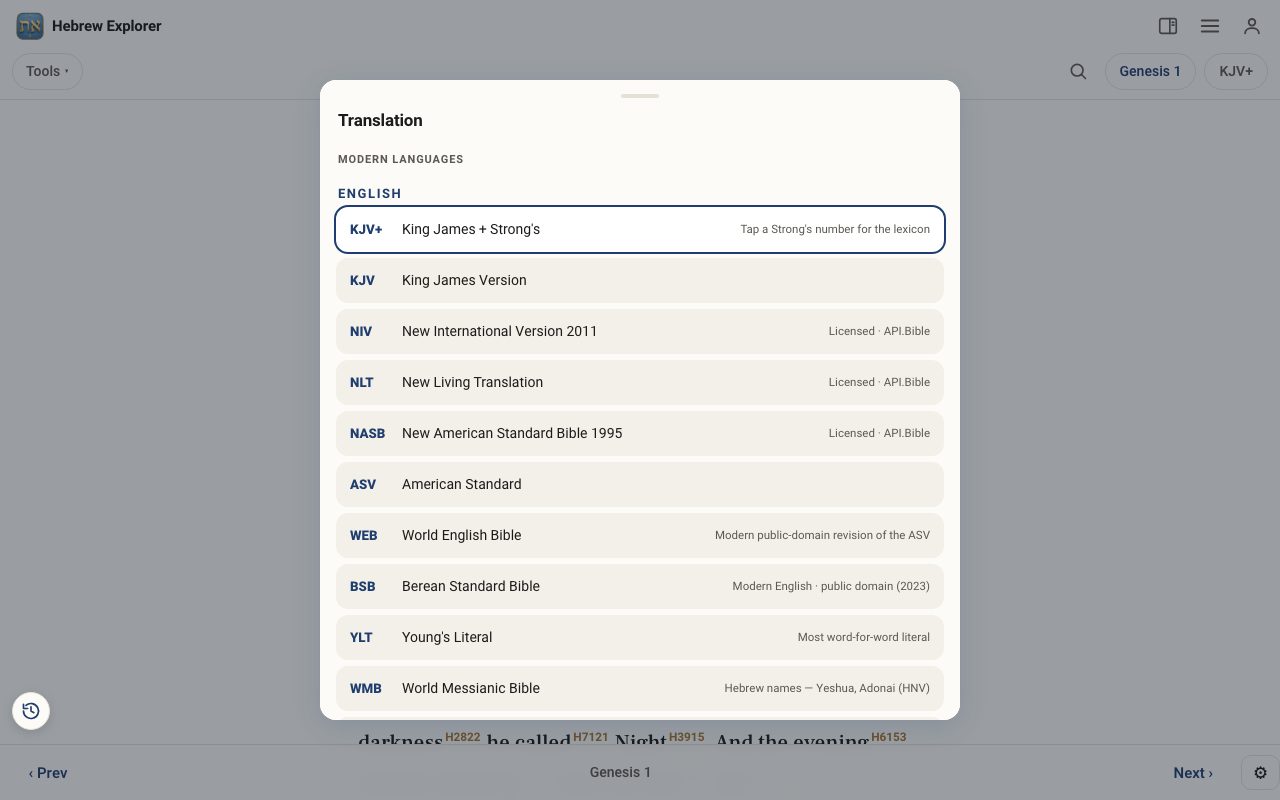
At the top right, tap the translation button, which shows the short name of the current version (for example KJV+). The list of translations opens.
Step 2: Know the English choices
King James + Strong's (KJV+) is the best place to start word study, because every word carries its Strong's number. Other English versions include the KJV, NIV, NLT, NASB, ASV, the World English Bible, the Berean Standard Bible, Young's Literal (the most word-for-word), the World Messianic Bible (with Hebrew names such as Yeshua), the JPS 1917 Tanakh, the Bible in Basic English, and Brenton's English Septuagint. Spanish readers have the Reina-Valera 1909.
Step 3: Read the original languages
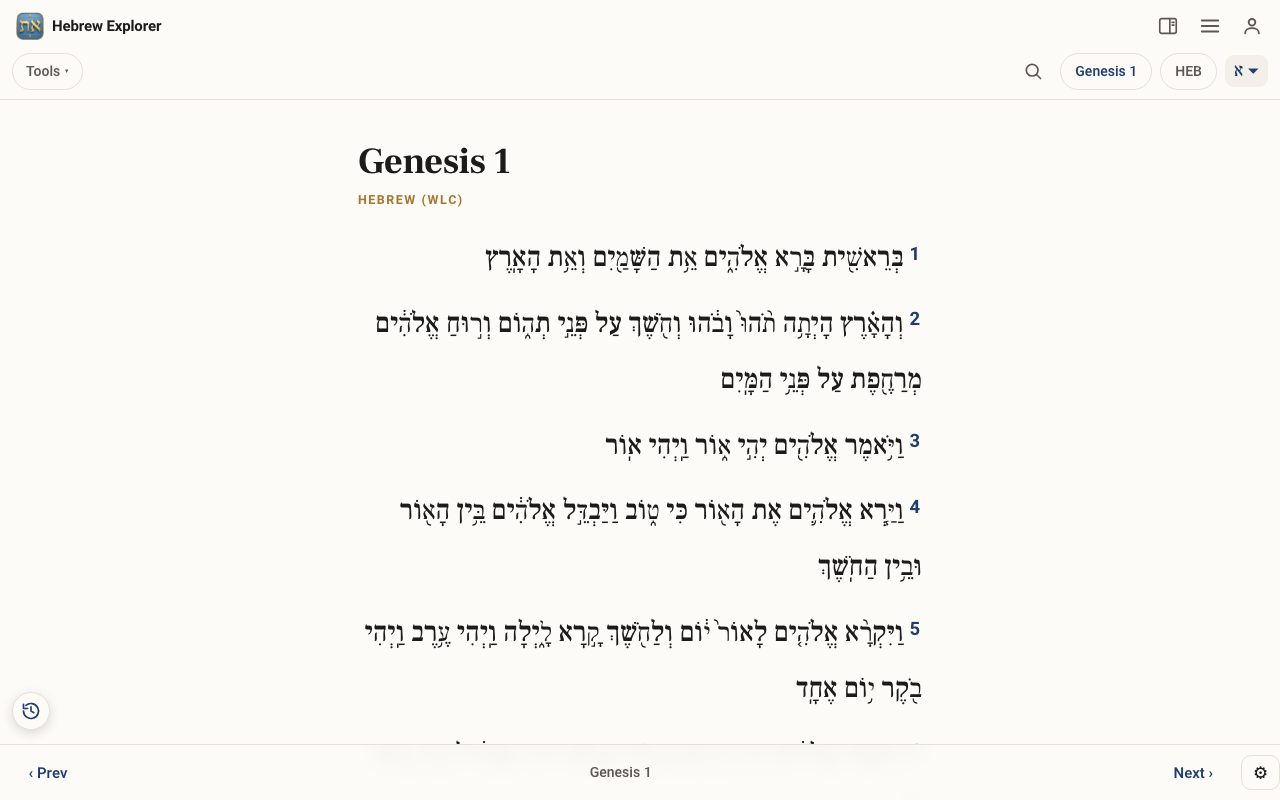
Under Original languages choose Hebrew (WLC) for the Westminster Leningrad Codex of the Old Testament, Hebrew NT (Delitzsch) for the New Testament in Hebrew, Greek (GNT) for the Greek New Testament, or the Septuagint (Swete) for the Greek Old Testament. In these texts you tap a word itself to open its lexicon entry.
Step 4: Switch back any time
Your choice stays in place as you move from chapter to chapter. Tap the translation button again to change it.
Related tutorials
- Compare translations and compare a verseRead several translations side by side, or one verse in every translation at once.Free 4 min · Beginner
- The Interlinear: Hebrew and Greek under the EnglishSee every Hebrew or Greek word with its English meaning and Strong's number, verse by verse.Free 4 min · Beginner
- Tap a word: reading the lexiconOpen any Hebrew or Greek word to see its meaning, pronunciation, gematria, every place it appears, and the classic lexicons.Free 6 min · Beginner