
Searching: words, phrases, Hebrew and Strong's numbers
The magnifying glass at the top is more than a word search. It goes to references, finds English words and phrases, searches the Hebrew and Greek, and follows a Strong's number through the whole Bible.
Open Word & Strong's search in a new tab →
- Open the search box
- Search an English word
- Follow a Strong's number
- Type in Hebrew or Greek
- Go back to your reading
Step 1: Open the search box
Tap the magnifying glass at the top of the reader. The hint in the box shows what you can type: a reference (John 3:16), an English word (lovingkindness), a Hebrew word (אלהים) or a Strong's number (H7225).
Step 2: Search an English word
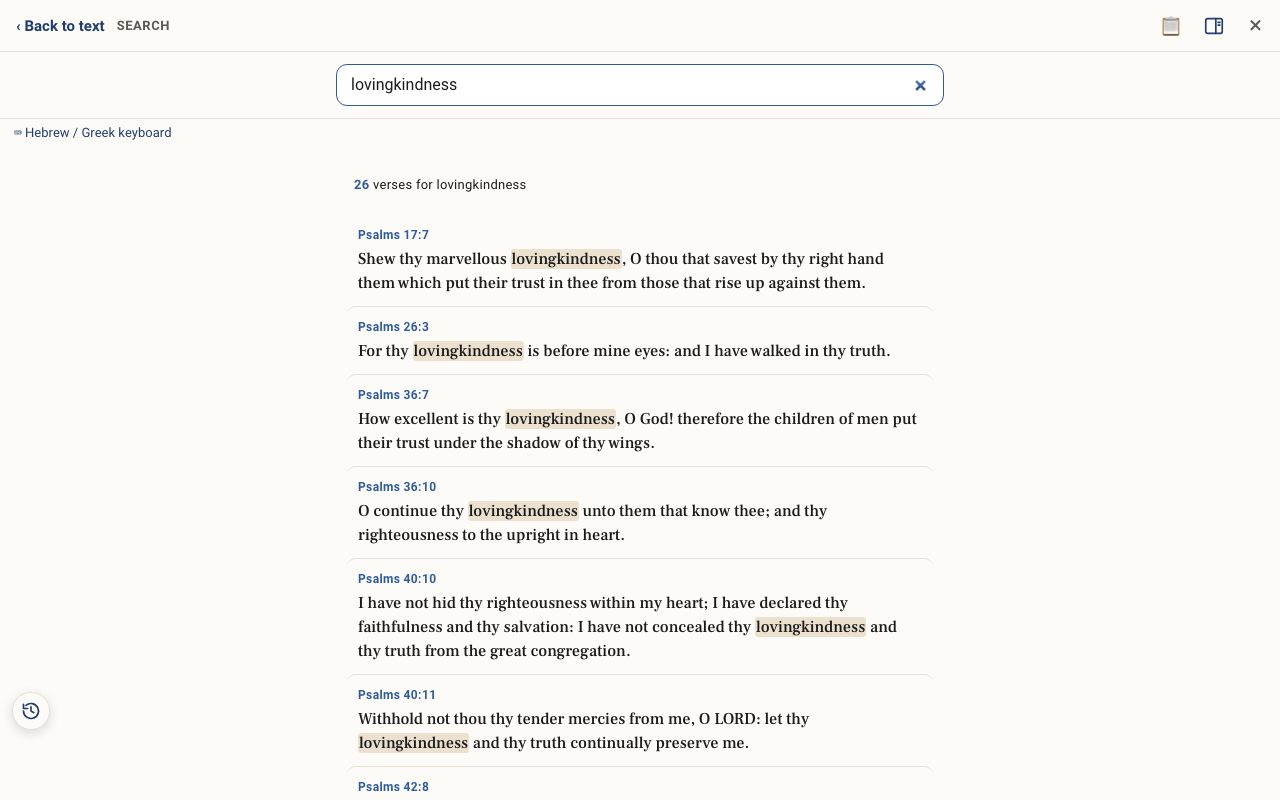
Type a word, for example lovingkindness, and press Enter. The results show how many verses were found, with the word highlighted in each one. Tap a verse to open it in its chapter.
Step 3: Follow a Strong's number
Type a Strong's number such as H7225 (Hebrew) or G3056 (Greek). You get every verse where that original word stands, whatever English word the translators chose. This is the heart of word study.
Step 4: Type in Hebrew or Greek
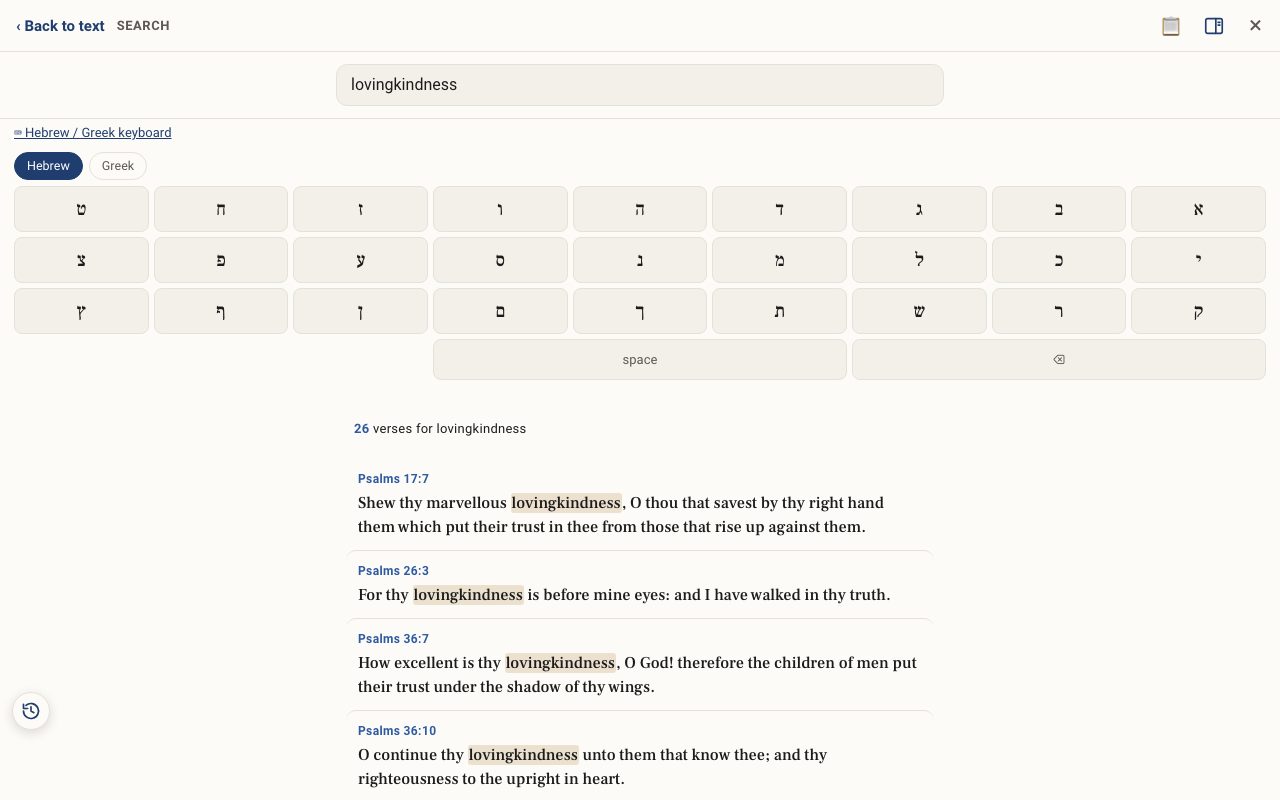
Tap ⌨ Hebrew / Greek keyboard under the box to type Hebrew or Greek letters on screen. You do not need a Hebrew keyboard on your computer or phone.
Step 5: Go back to your reading
Tap ‹ Back to text at the top left to return to the chapter you were reading.
Related tutorials
- Tap a word: reading the lexiconOpen any Hebrew or Greek word to see its meaning, pronunciation, gematria, every place it appears, and the classic lexicons.Free 6 min · Beginner
- Typing Hebrew and Greek with the on-screen keyboardType Hebrew or Greek letters in any search box. No special keyboard needed.Free 2 min · Beginner
- Word Study Sheets: build and print your own word studyGather definitions, letters, gematria, word pairs and verses from every tool into one sheet you can edit and print.Free 6 min · Intermediate