
Reading settings: font, text size and colour themes
If the text is too small, too bright or too dark, one button fixes it. Your choices are remembered on this device.
Open Reading settings in a new tab →
Step 1: Open Reading settings
Tap the gear ⚙ at the bottom right of the reader.
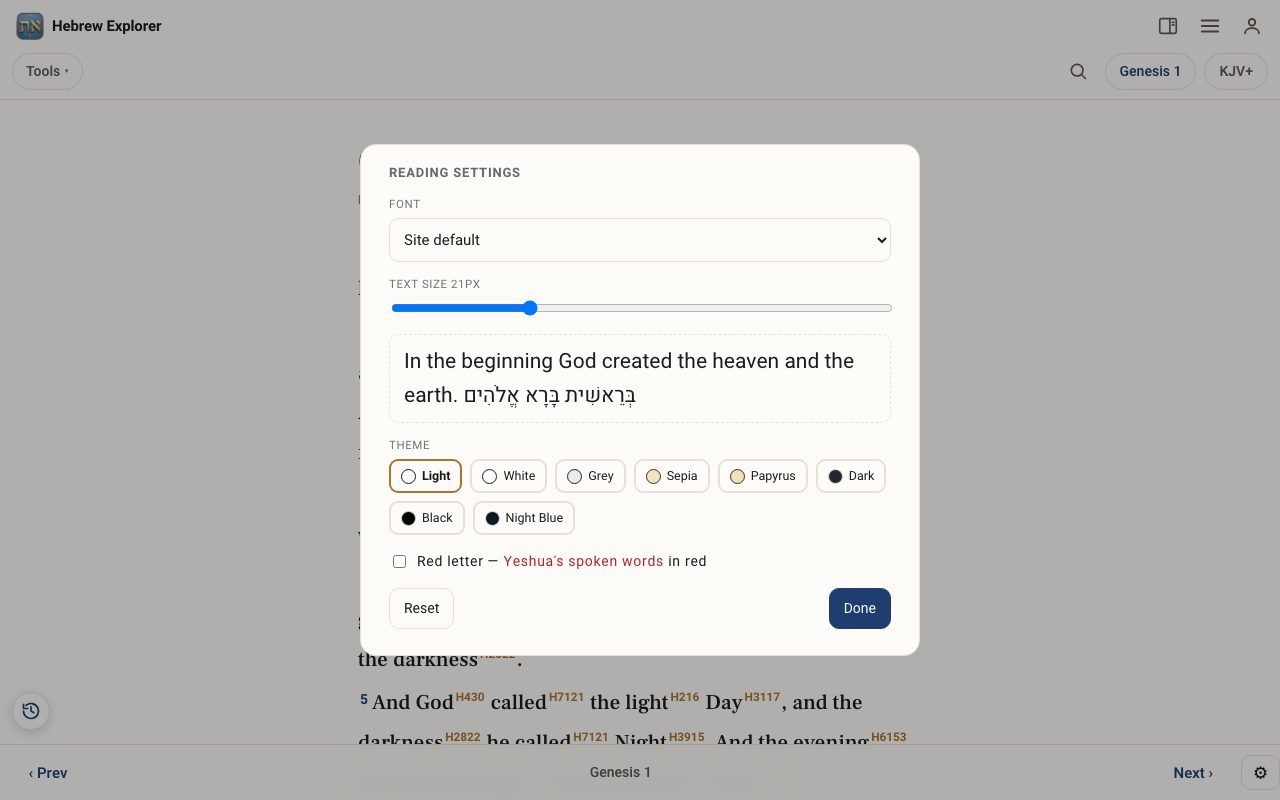
Step 2: Choose a font and text size
Pick a Font from the list, then drag the Text size slider. The sample below the slider, in English and Hebrew, shows the result as you go.
Step 3: Pick a theme
Choose a colour Theme: Light, White, Grey, Sepia, Papyrus, Dark, Black or Night Blue. The dark themes are easier on the eyes at night.
Step 4: Red letters
Tick Red letter to show Yeshua's spoken words in red in the Gospels.
Step 5: Save or reset
Tap Done to close the panel. Reset puts everything back to the defaults.