
Places & Geography: every place on the map
Where did it happen? With Places turned on, every city, river and mountain in the chapter glows green. Tap one to see it on a map, learn what its name means, and read every scripture that mentions it.
Open Places & Geography in a new tab →
Step 1: Turn on Places
Tap Tools ▾ → Places & Geography. A Places on chip appears, and places in the text glow green.
Step 2: Tap a place
In Genesis 12, tap Haran. A map opens on the place, marked where the ruins stand or shaded to show a territory. You also see the Hebrew name and its meaning, and What happened here.
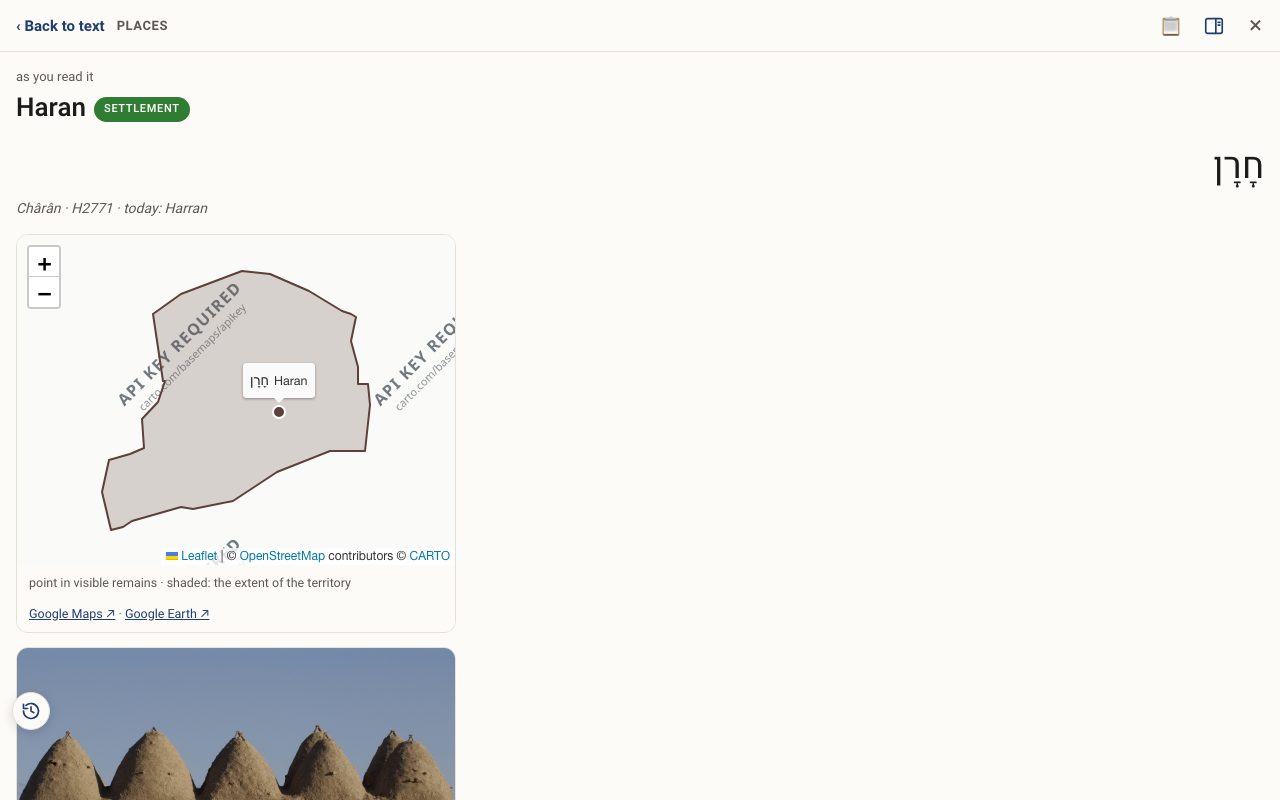
Step 3: Explore the map
Zoom with + and −, switch map styles, or open the spot in Google Maps ↗ or Google Earth ↗.
Step 4: Turn it off
Tap × on the Places on chip.
Related tutorials
- Tribes of Israel: the thirteen bannersEach tribe's Hebrew name, the blessings of Jacob and Moses, famous members, and the land they were given.Free 3 min · Beginner
- Biblical Archaeology: discoveries alongside the storyBrowse 533 discoveries by era and kind: steles, seals, coins, cities and scrolls, each tied to the verses it touches.Free 5 min · Beginner
- The Study Panel: your study space beside the textResources for the chapter, your notes and highlights, saved studies, a parallel translation, books and search, all beside the text.Free 6 min · Beginner