
Word Study Sheets: build and print your own word study
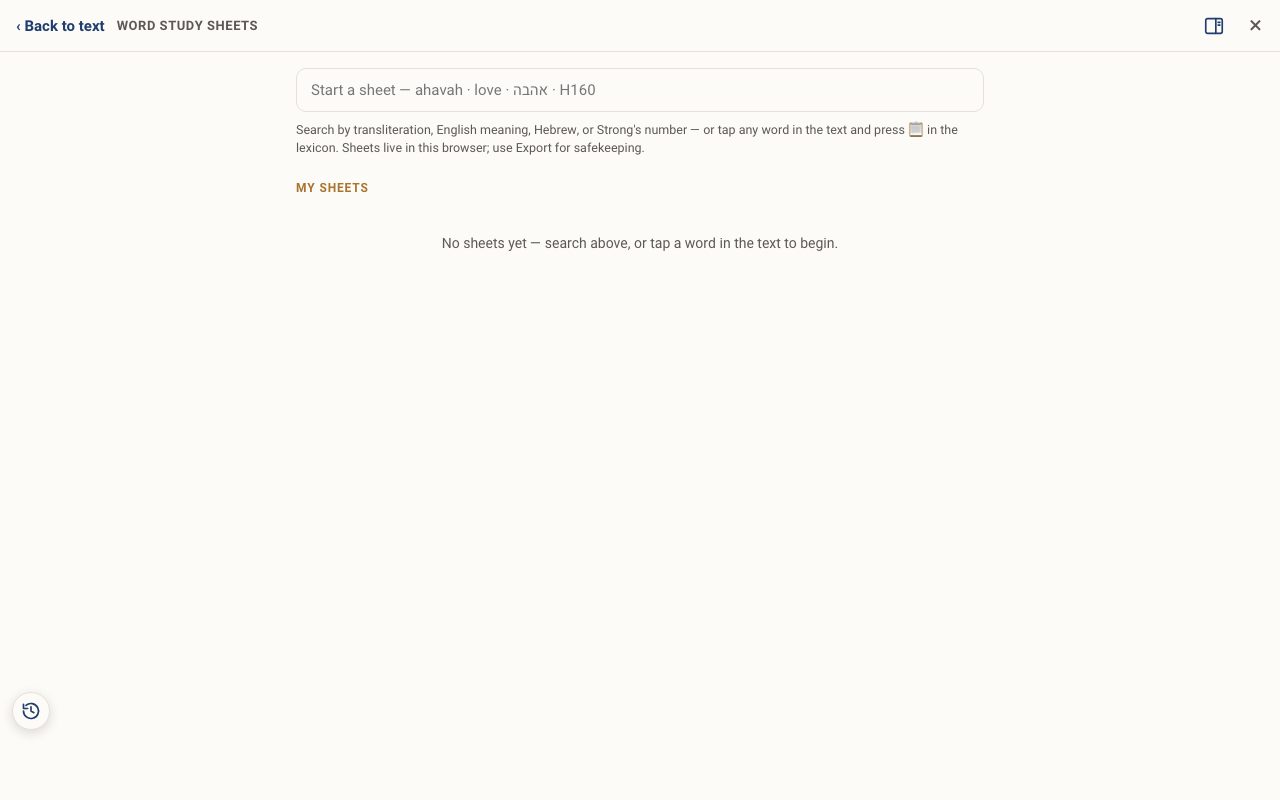
A Word Study Sheet is a living page for one Hebrew word. Start it from a search or from any lexicon entry. Then clip into it from the other tools as you go. When you are done you have a finished, printable study.
Open Word Study Sheets in a new tab →
- Open Word Study Sheets
- Start a sheet
- Or start from the text
- Clip from the other tools
- Edit, print and export
Step 1: Open Word Study Sheets
Tap Tools ▾ → Word Study Sheets. Your sheets are listed under My sheets.
Step 2: Start a sheet
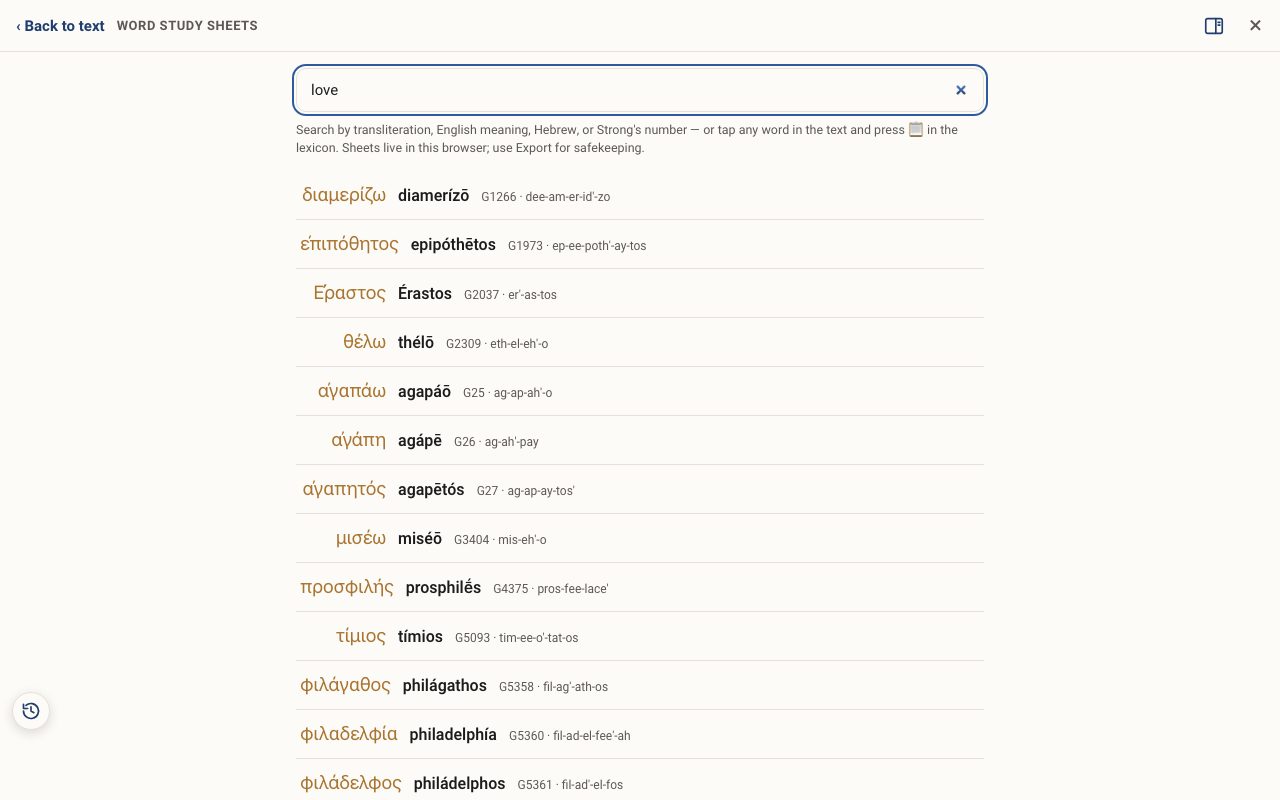
Type in the box. You can use a transliteration (ahavah), an English meaning (love), Hebrew (אהבה) or a Strong's number (H160). Tap the right word in the list to start its sheet.
Step 3: Or start from the text
While reading, tap a word (or its Strong's number) to open the lexicon, then tap 📋 at the top of the lexicon. The word goes to a sheet.
Step 4: Clip from the other tools
Tools that show a 📋 button, such as the Pictograph study, Root Dictionary, Word pairs and Gematria, can send what you are looking at into your sheet. The Study Panel's 📎 clips into the study you have open.
Step 5: Edit, print and export
Open a sheet to edit it. Use Print… for a paper copy or PDF. Sheets live in this browser, so use Export now and then to keep a copy. Delete sheet removes it.
Related tutorials
- Tap a word: reading the lexiconOpen any Hebrew or Greek word to see its meaning, pronunciation, gematria, every place it appears, and the classic lexicons.Free 6 min · Beginner
- Pictograph word study: reading a word letter by letterStack a word's letters, read the ancient picture behind each one, and build a definition from them.Free 5 min · Beginner
- Recipe: a complete Hebrew word study in 15 minutesGo from one English word to a finished, printable study of the Hebrew behind it.Free 15 min · Intermediate